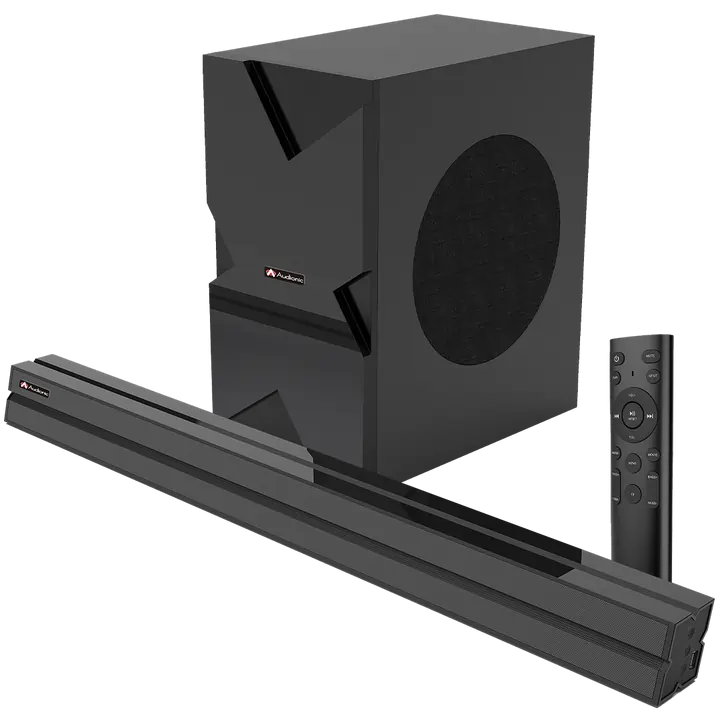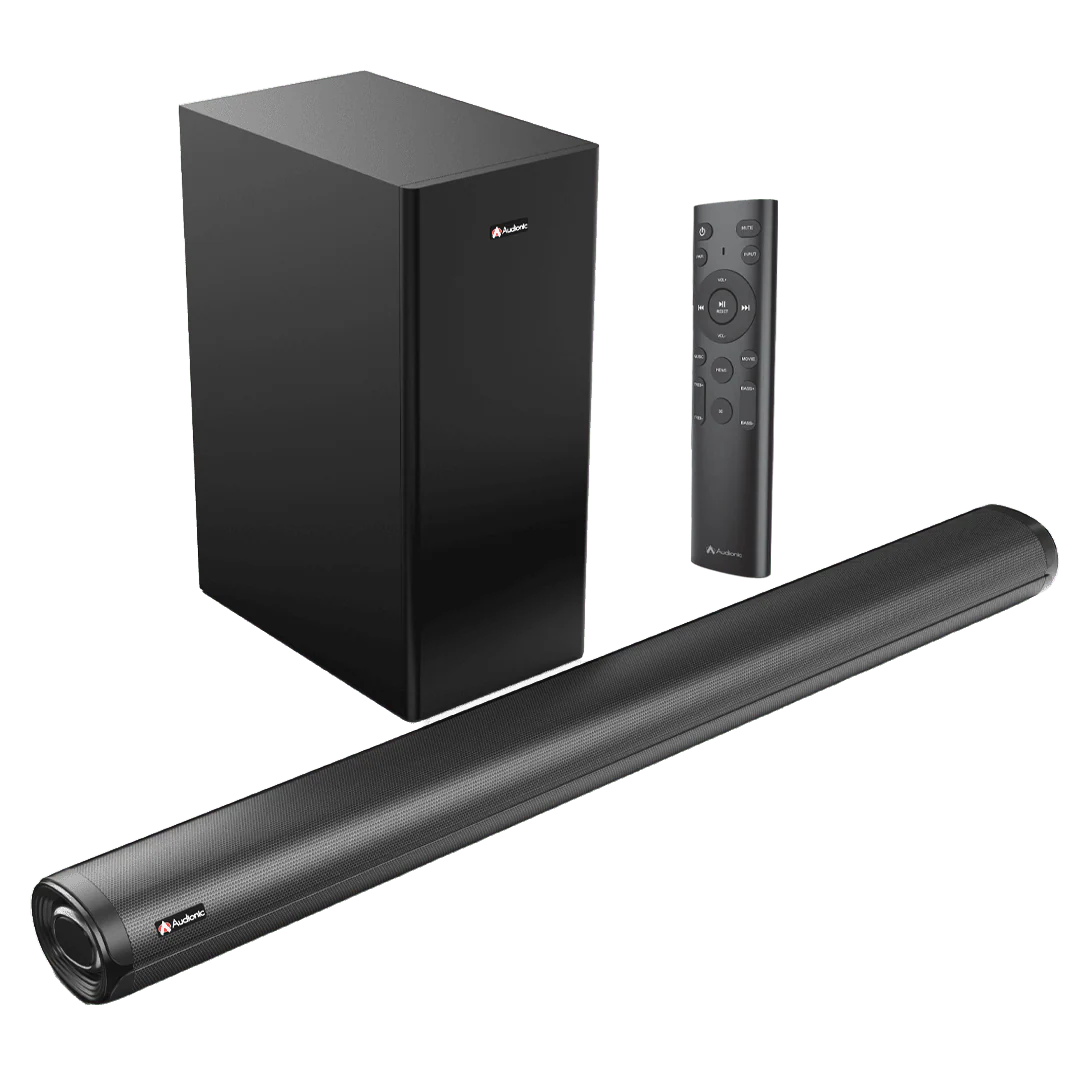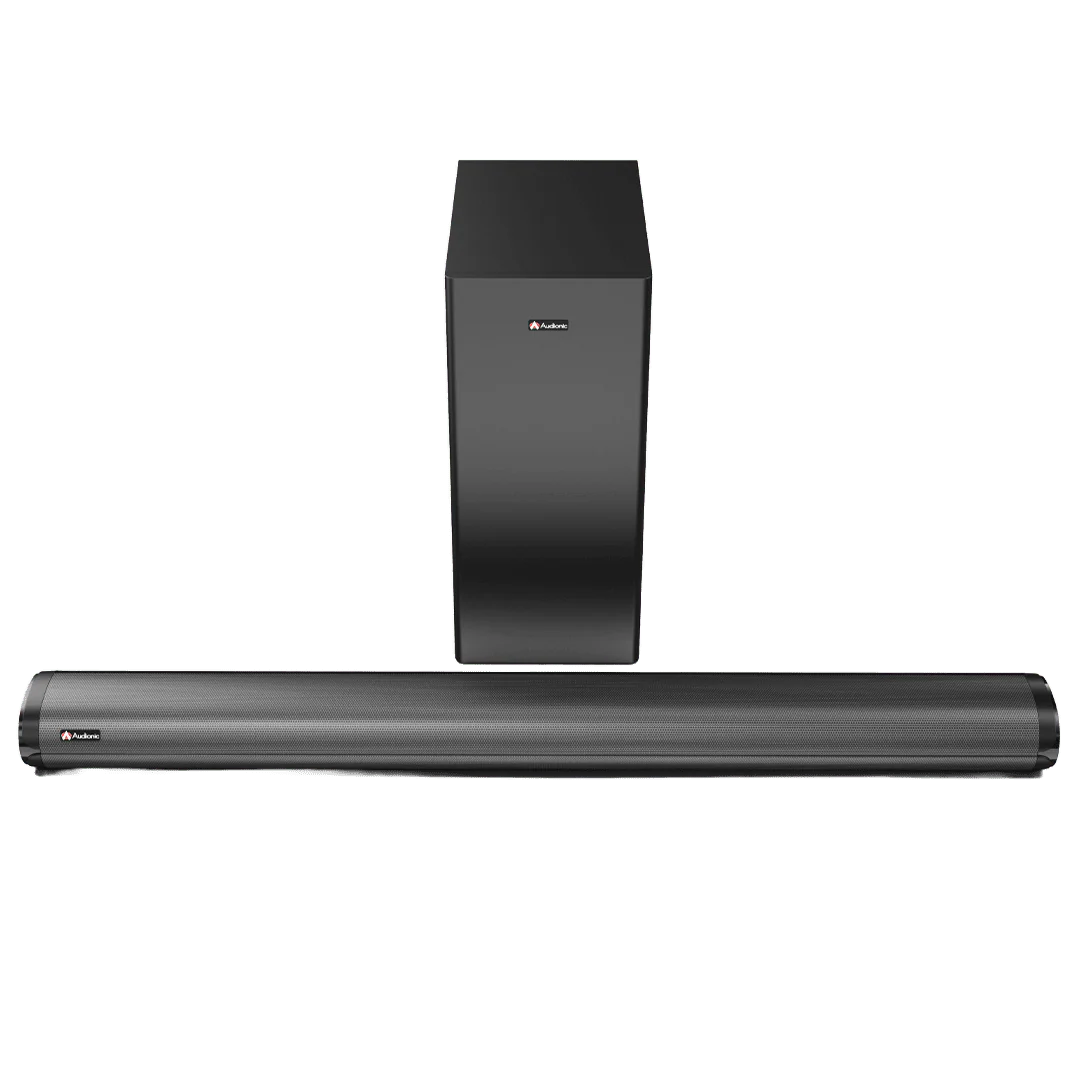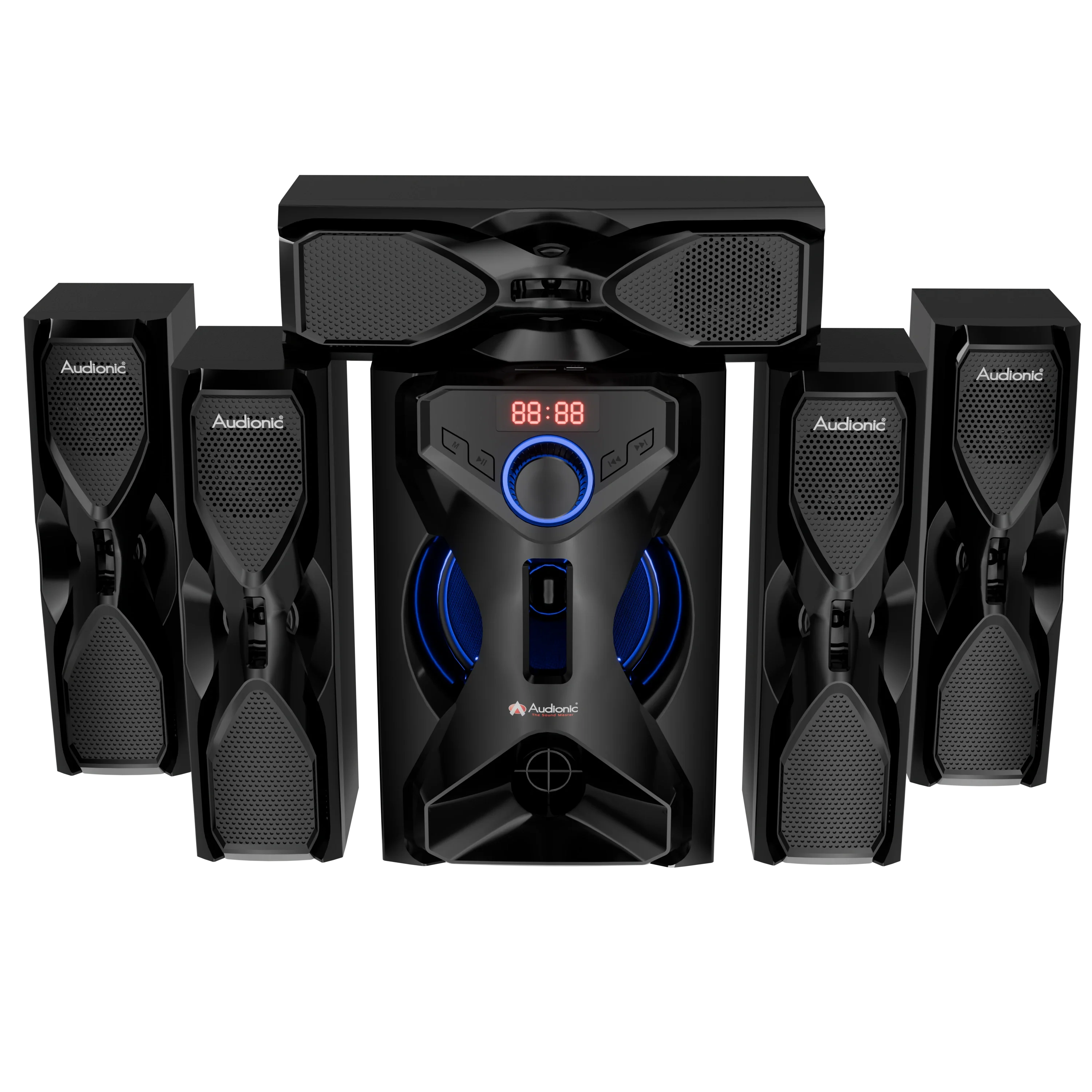
Pace 7 Home Theater System
Pace 7 Home Theater System
Subwoofer
-
Size : 6.5 Inches
Satellite Speakers
-
Size : 3 Inches x 5
Channel and Subwoofer Type
-
5.1 Channel
Power Output
-
RMS Power Total 120W
-
Subwoofer 45W + 10W x 5
Input
-
Wireless BT/USB/AUX/ SD Card
Frequency
-
40Hz ~ 20KHz
Warranty
-
One-year warranty
What's in the Box
-
Subwoofer
-
Satellite x 5
-
Remote control
-
Aux Cable
-
User manual
-
Power adapter
Features
-
Bluetune
-
USB
-
SD Card Supported
-
AUX Input
-
LED Display
-
Built-in FM Radio
-
Remote Control
FAQS
About The Product
How do I connect my Pace 7 home theater system to my TV?
A: You can connect the system to your TV via an AUX cable. Plug one end into the Audio Output of your TV and the other end into the Audio Input of the Pace 7 system. If your TV supports Bluetooth, you can also pair the speaker system wirelessly.
How do the controls on the Pace 7 home theater system work?
A: The toggle controls on the Pace 7 allow you to adjust volume, toggle between different audio sources, and switch the system on or off. The remote control provides additional controls including Bluetooth pairing and specific audio settings.
How do I pair my device via Bluetooth to the Pace 7 speaker system?
On your device, turn on Bluetooth and search for available devices. The Pace 7 should appear in the list. Select it to initiate pairing. If asked for a password, refer to your user manual, but many devices use '0000' or '1234'.
How can I achieve the best surround sound with the Pace 7 home theater?
The optimal placement of speakers for surround sound is important. The main subwoofer can be placed near the TV while the satellite speakers should be distributed around the room – two in front, and three behind or beside the seating area.
What can I do if one of my satellite speakers is not working?
Check to make sure all connections are secure and the speaker is properly powered. If the problem persists, the speaker may be faulty or the wire may be damaged. Consult your user manual or contact Audionic support.
How can I adjust the bass level on the Pace 7 home theater?
You can adjust the bass level using the remote control. Look for the bass control button and adjust it to your liking.
Can I connect multiple devices to my Pace 7 home theater system at the same time?
A: Generally, the Pace 8 system can only be connected to one audio source at a time. However, you can easily switch between devices by disconnecting the current device and pairing another.
What should I do if the sound quality is poor?
A: Make sure the audio source is of good quality. Poorly recorded or compressed audio will not sound good on any speaker system. Also, make sure the Pace 8 and the source device's volume are set appropriately - extreme high or low settings can distort sound.
Warranty
Does it have a warranty?
Yes, the Pace 7 speaker comes with a One-Year Brand Warranty.
Driver Size
What is the driver size of the Audionic Pace 7 Home Theatre System?
The Pace 7 features a 6.5-inch subwoofer driver and 3-inch satellite drivers, designed to deliver balanced bass and clear mids/highs.
Does the driver size impact volume or loudness?
Yes. Larger drivers (like the 6.5") can push more air, giving higher volume and deeper bass, while smaller drivers maintain clarity at higher volumes.
How does the 6.5" subwoofer driver affect sound quality?
The 6.5-inch driver gives the Pace 7 powerful low-frequency output, making movies, music, and gaming more immersive with punchy bass.
What is the role of the 3-inch satellite drivers?
The 3" satellite drivers handle mid and high frequencies, ensuring clear vocals, crisp dialogue, and detailed sound effects.
Are 3-inch satellite drivers good for home theatre?
Yes, 3-inch drivers are ideal for compact satellite speakers. They offer clear treble and mid-range clarity without taking up much space.
Digital Display
Does the Pace 7 Home Theater System have a digital display?
Yes — the Pace 7 features an LED display.
What information does the LED display show?
The display typically shows source inputs, volume level, and modes (such as FM radio, AUX, USB). On some units, it may also show track/time information when playing from USB or SD.
Is the display always on, or does it turn off when idle?
There’s no clear, official documentation that says the display turns off after being idle — based on user reviews and retailer descriptions, it seems to remain on when the system is powered.
Can I control the display using the remote?
Yes, since the Pace 7 comes with a remote control, you can navigate input modes and see the changes on the LED display.
Will the display show Bluetooth connection status?
Yes — when you switch to Bluetooth mode, the LED display should indicate it as the active source. (This is implied by the system’s input-mode capabilities.)
Pace 7 Home Theater System
Subwoofer
-
Size : 6.5 Inches
Satellite Speakers
-
Size : 3 Inches x 5
Channel and Subwoofer Type
-
5.1 Channel
Power Output
-
RMS Power Total 120W
-
Subwoofer 45W + 10W x 5
Input
-
Wireless BT/USB/AUX/ SD Card
Frequency
-
40Hz ~ 20KHz
Warranty
-
One-year warranty
What's in the Box
-
Subwoofer
-
Satellite x 5
-
Remote control
-
Aux Cable
-
User manual
-
Power adapter
Features
-
Bluetune
-
USB
-
SD Card Supported
-
AUX Input
-
LED Display
-
Built-in FM Radio
-
Remote Control
FAQS
About The Product
How do I connect my Pace 7 home theater system to my TV?
A: You can connect the system to your TV via an AUX cable. Plug one end into the Audio Output of your TV and the other end into the Audio Input of the Pace 7 system. If your TV supports Bluetooth, you can also pair the speaker system wirelessly.
How do the controls on the Pace 7 home theater system work?
A: The toggle controls on the Pace 7 allow you to adjust volume, toggle between different audio sources, and switch the system on or off. The remote control provides additional controls including Bluetooth pairing and specific audio settings.
How do I pair my device via Bluetooth to the Pace 7 speaker system?
On your device, turn on Bluetooth and search for available devices. The Pace 7 should appear in the list. Select it to initiate pairing. If asked for a password, refer to your user manual, but many devices use '0000' or '1234'.
How can I achieve the best surround sound with the Pace 7 home theater?
The optimal placement of speakers for surround sound is important. The main subwoofer can be placed near the TV while the satellite speakers should be distributed around the room – two in front, and three behind or beside the seating area.
What can I do if one of my satellite speakers is not working?
Check to make sure all connections are secure and the speaker is properly powered. If the problem persists, the speaker may be faulty or the wire may be damaged. Consult your user manual or contact Audionic support.
How can I adjust the bass level on the Pace 7 home theater?
You can adjust the bass level using the remote control. Look for the bass control button and adjust it to your liking.
Can I connect multiple devices to my Pace 7 home theater system at the same time?
A: Generally, the Pace 8 system can only be connected to one audio source at a time. However, you can easily switch between devices by disconnecting the current device and pairing another.
What should I do if the sound quality is poor?
A: Make sure the audio source is of good quality. Poorly recorded or compressed audio will not sound good on any speaker system. Also, make sure the Pace 8 and the source device's volume are set appropriately - extreme high or low settings can distort sound.
Warranty
Does it have a warranty?
Yes, the Pace 7 speaker comes with a One-Year Brand Warranty.
Driver Size
What is the driver size of the Audionic Pace 7 Home Theatre System?
The Pace 7 features a 6.5-inch subwoofer driver and 3-inch satellite drivers, designed to deliver balanced bass and clear mids/highs.
Does the driver size impact volume or loudness?
Yes. Larger drivers (like the 6.5") can push more air, giving higher volume and deeper bass, while smaller drivers maintain clarity at higher volumes.
How does the 6.5" subwoofer driver affect sound quality?
The 6.5-inch driver gives the Pace 7 powerful low-frequency output, making movies, music, and gaming more immersive with punchy bass.
What is the role of the 3-inch satellite drivers?
The 3" satellite drivers handle mid and high frequencies, ensuring clear vocals, crisp dialogue, and detailed sound effects.
Are 3-inch satellite drivers good for home theatre?
Yes, 3-inch drivers are ideal for compact satellite speakers. They offer clear treble and mid-range clarity without taking up much space.
Digital Display
Does the Pace 7 Home Theater System have a digital display?
Yes — the Pace 7 features an LED display.
What information does the LED display show?
The display typically shows source inputs, volume level, and modes (such as FM radio, AUX, USB). On some units, it may also show track/time information when playing from USB or SD.
Is the display always on, or does it turn off when idle?
There’s no clear, official documentation that says the display turns off after being idle — based on user reviews and retailer descriptions, it seems to remain on when the system is powered.
Can I control the display using the remote?
Yes, since the Pace 7 comes with a remote control, you can navigate input modes and see the changes on the LED display.
Will the display show Bluetooth connection status?
Yes — when you switch to Bluetooth mode, the LED display should indicate it as the active source. (This is implied by the system’s input-mode capabilities.)
Original: $27,999.00
-70%$27,999.00
$8,399.70Description
Pace 7 Home Theater System
Subwoofer
-
Size : 6.5 Inches
Satellite Speakers
-
Size : 3 Inches x 5
Channel and Subwoofer Type
-
5.1 Channel
Power Output
-
RMS Power Total 120W
-
Subwoofer 45W + 10W x 5
Input
-
Wireless BT/USB/AUX/ SD Card
Frequency
-
40Hz ~ 20KHz
Warranty
-
One-year warranty
What's in the Box
-
Subwoofer
-
Satellite x 5
-
Remote control
-
Aux Cable
-
User manual
-
Power adapter
Features
-
Bluetune
-
USB
-
SD Card Supported
-
AUX Input
-
LED Display
-
Built-in FM Radio
-
Remote Control
FAQS
About The Product
How do I connect my Pace 7 home theater system to my TV?
A: You can connect the system to your TV via an AUX cable. Plug one end into the Audio Output of your TV and the other end into the Audio Input of the Pace 7 system. If your TV supports Bluetooth, you can also pair the speaker system wirelessly.
How do the controls on the Pace 7 home theater system work?
A: The toggle controls on the Pace 7 allow you to adjust volume, toggle between different audio sources, and switch the system on or off. The remote control provides additional controls including Bluetooth pairing and specific audio settings.
How do I pair my device via Bluetooth to the Pace 7 speaker system?
On your device, turn on Bluetooth and search for available devices. The Pace 7 should appear in the list. Select it to initiate pairing. If asked for a password, refer to your user manual, but many devices use '0000' or '1234'.
How can I achieve the best surround sound with the Pace 7 home theater?
The optimal placement of speakers for surround sound is important. The main subwoofer can be placed near the TV while the satellite speakers should be distributed around the room – two in front, and three behind or beside the seating area.
What can I do if one of my satellite speakers is not working?
Check to make sure all connections are secure and the speaker is properly powered. If the problem persists, the speaker may be faulty or the wire may be damaged. Consult your user manual or contact Audionic support.
How can I adjust the bass level on the Pace 7 home theater?
You can adjust the bass level using the remote control. Look for the bass control button and adjust it to your liking.
Can I connect multiple devices to my Pace 7 home theater system at the same time?
A: Generally, the Pace 8 system can only be connected to one audio source at a time. However, you can easily switch between devices by disconnecting the current device and pairing another.
What should I do if the sound quality is poor?
A: Make sure the audio source is of good quality. Poorly recorded or compressed audio will not sound good on any speaker system. Also, make sure the Pace 8 and the source device's volume are set appropriately - extreme high or low settings can distort sound.
Warranty
Does it have a warranty?
Yes, the Pace 7 speaker comes with a One-Year Brand Warranty.
Driver Size
What is the driver size of the Audionic Pace 7 Home Theatre System?
The Pace 7 features a 6.5-inch subwoofer driver and 3-inch satellite drivers, designed to deliver balanced bass and clear mids/highs.
Does the driver size impact volume or loudness?
Yes. Larger drivers (like the 6.5") can push more air, giving higher volume and deeper bass, while smaller drivers maintain clarity at higher volumes.
How does the 6.5" subwoofer driver affect sound quality?
The 6.5-inch driver gives the Pace 7 powerful low-frequency output, making movies, music, and gaming more immersive with punchy bass.
What is the role of the 3-inch satellite drivers?
The 3" satellite drivers handle mid and high frequencies, ensuring clear vocals, crisp dialogue, and detailed sound effects.
Are 3-inch satellite drivers good for home theatre?
Yes, 3-inch drivers are ideal for compact satellite speakers. They offer clear treble and mid-range clarity without taking up much space.
Digital Display
Does the Pace 7 Home Theater System have a digital display?
Yes — the Pace 7 features an LED display.
What information does the LED display show?
The display typically shows source inputs, volume level, and modes (such as FM radio, AUX, USB). On some units, it may also show track/time information when playing from USB or SD.
Is the display always on, or does it turn off when idle?
There’s no clear, official documentation that says the display turns off after being idle — based on user reviews and retailer descriptions, it seems to remain on when the system is powered.
Can I control the display using the remote?
Yes, since the Pace 7 comes with a remote control, you can navigate input modes and see the changes on the LED display.
Will the display show Bluetooth connection status?
Yes — when you switch to Bluetooth mode, the LED display should indicate it as the active source. (This is implied by the system’s input-mode capabilities.)